Unboxing your Bundle
Setting up your Docking Station.
Please watch the embed video for instructions on how to setup your teacher bundle.
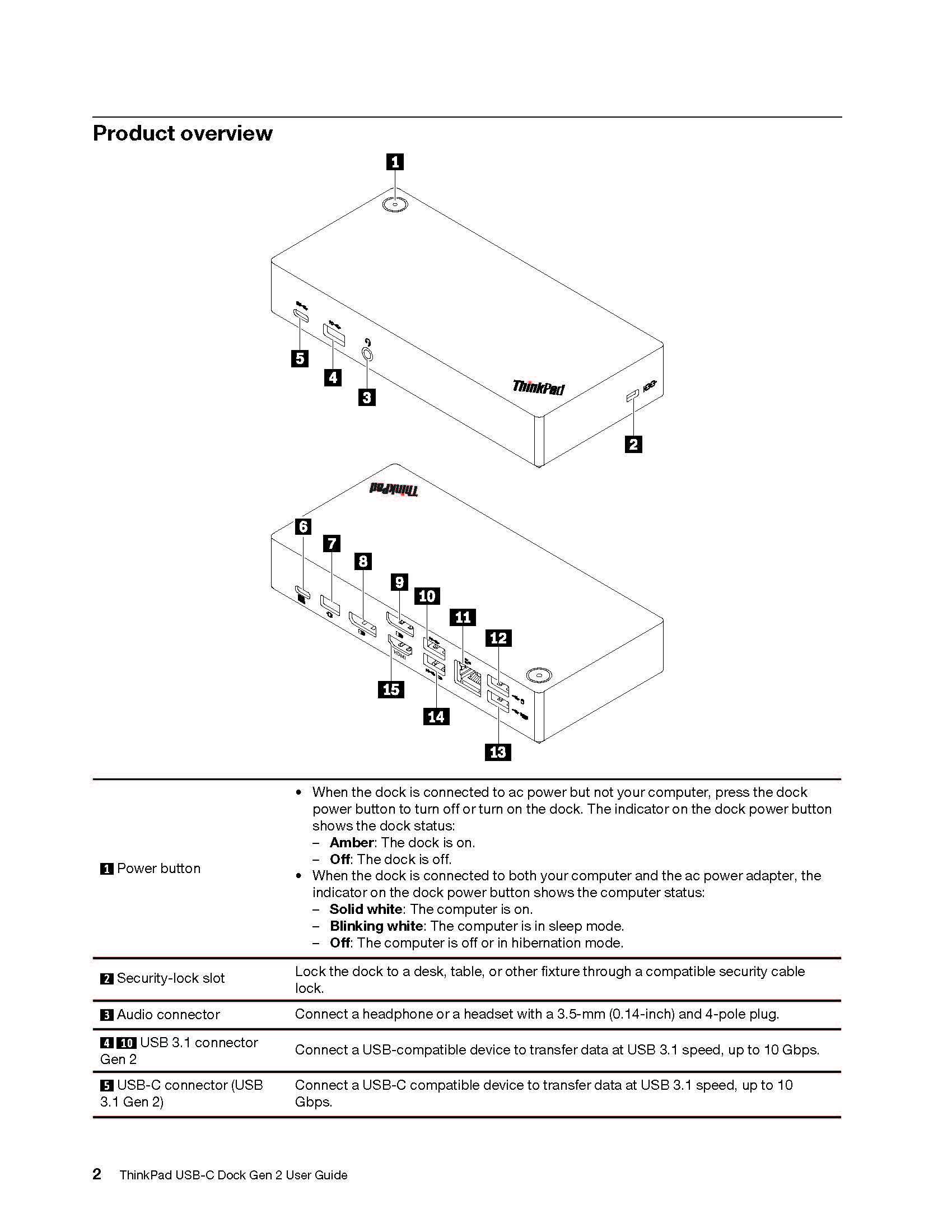
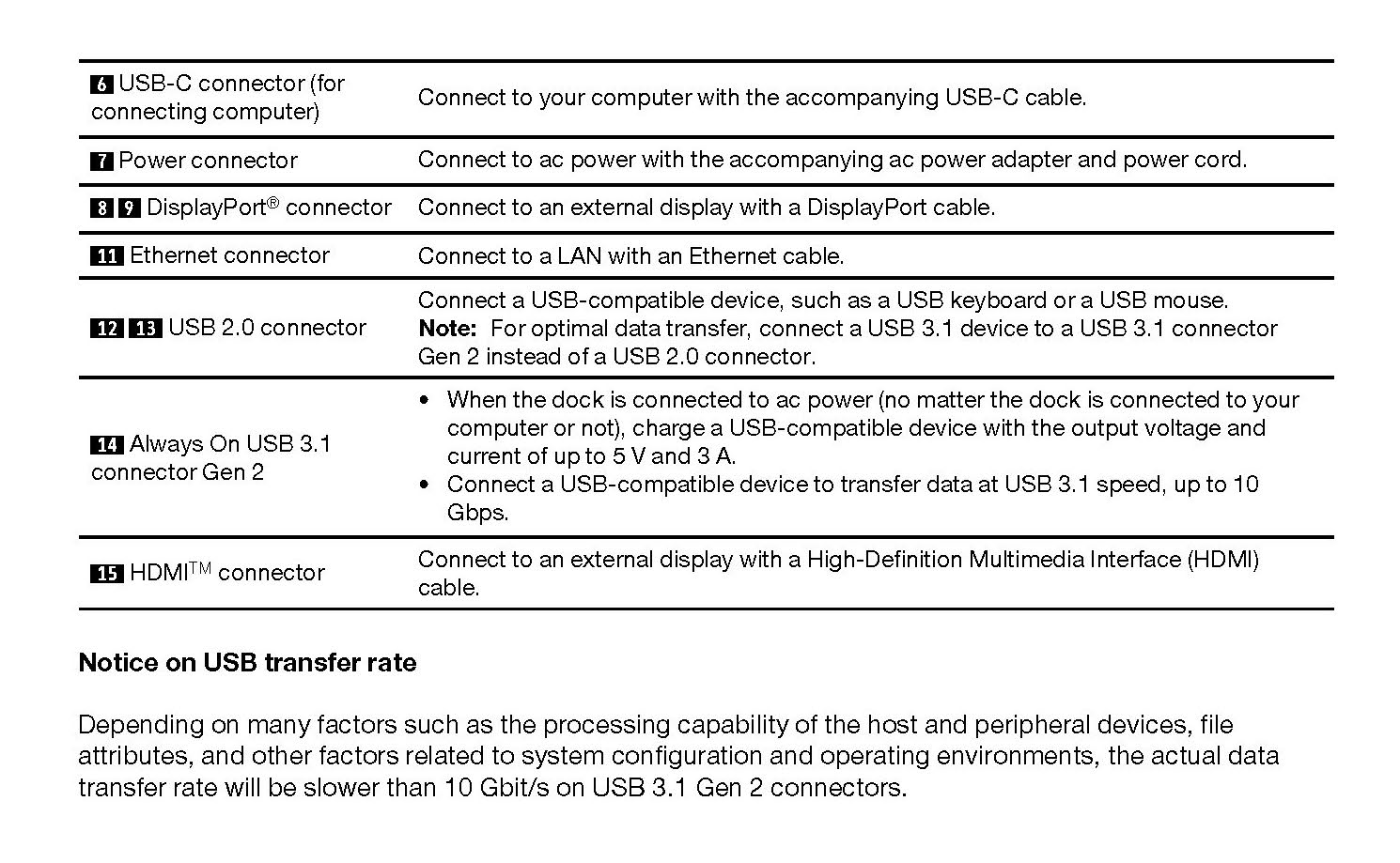
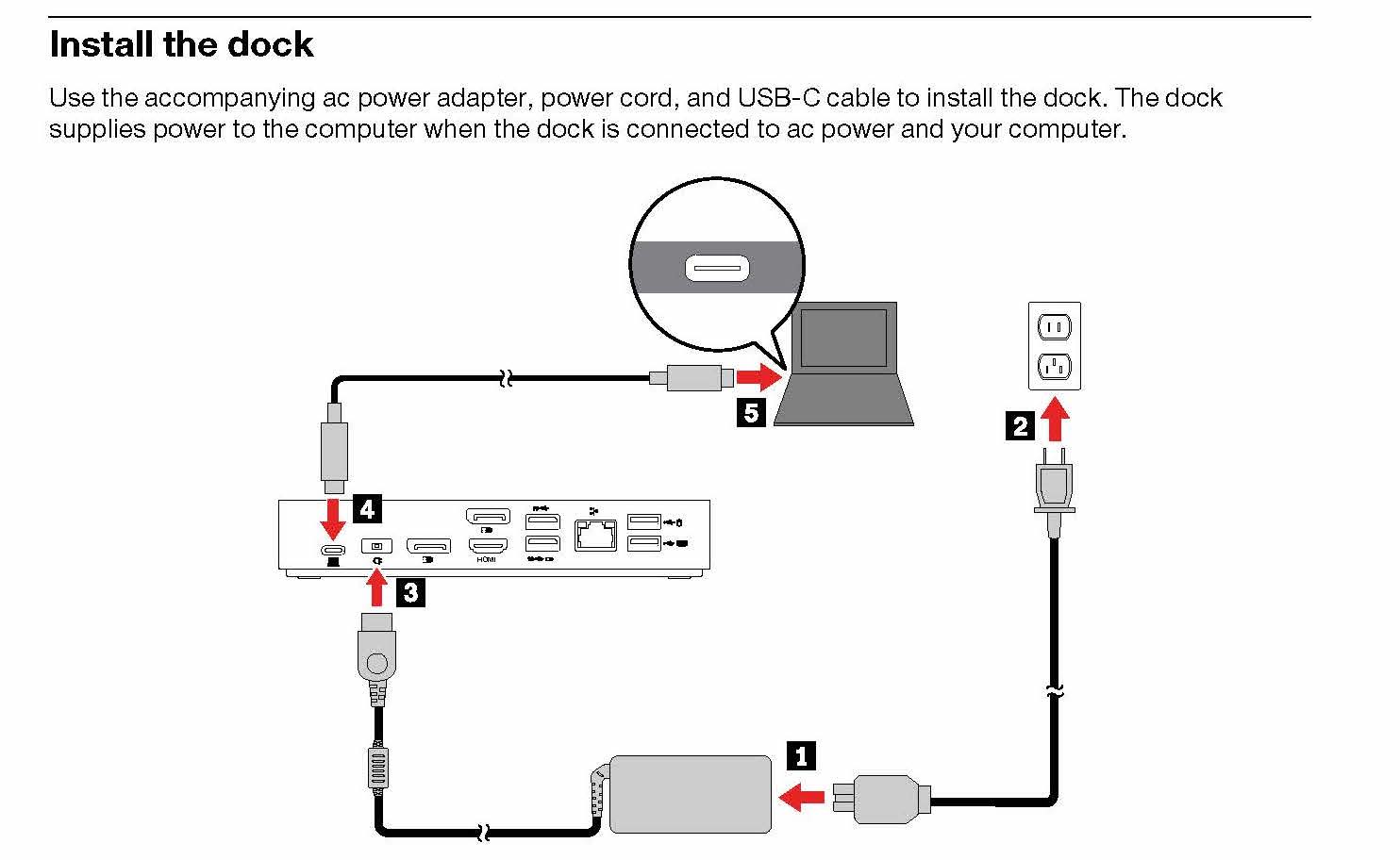
To install the dock, start by connecting the AC power to an outlet. The charger will go into #4 in the diagram above. From there, you can connect the USB-C to USB-C cable to the back of the dock on one side and then connect the other side to the computer.
Video Timestamp: 1:20
Lenovo Docking Station User Guide
ThinkPad X1 Presenter Mouse User Guide
ThinkPad TrackPoint Keyboard II User Guide
ThinkPad X1 Presenter Mouse
This 2-in-1 accessory combines the functionality of a mouse with a handy presenter. Control PowerPoint or PDF slides using gyro technology and intuitive buttons, and make your points clearly from across the room with a virtual laser pointer and highlight & magnify capabilities. Crafted for comfort, the V-shaped mouse provides room to rest one’s palm while the index and middle fingers are positioned over the buttons. Perfectly portable, the narrow body and soft edges fit pockets and bags without bulging. You can connect this mouse to your computer using Bluetooth or the 2.4G USB receiver.
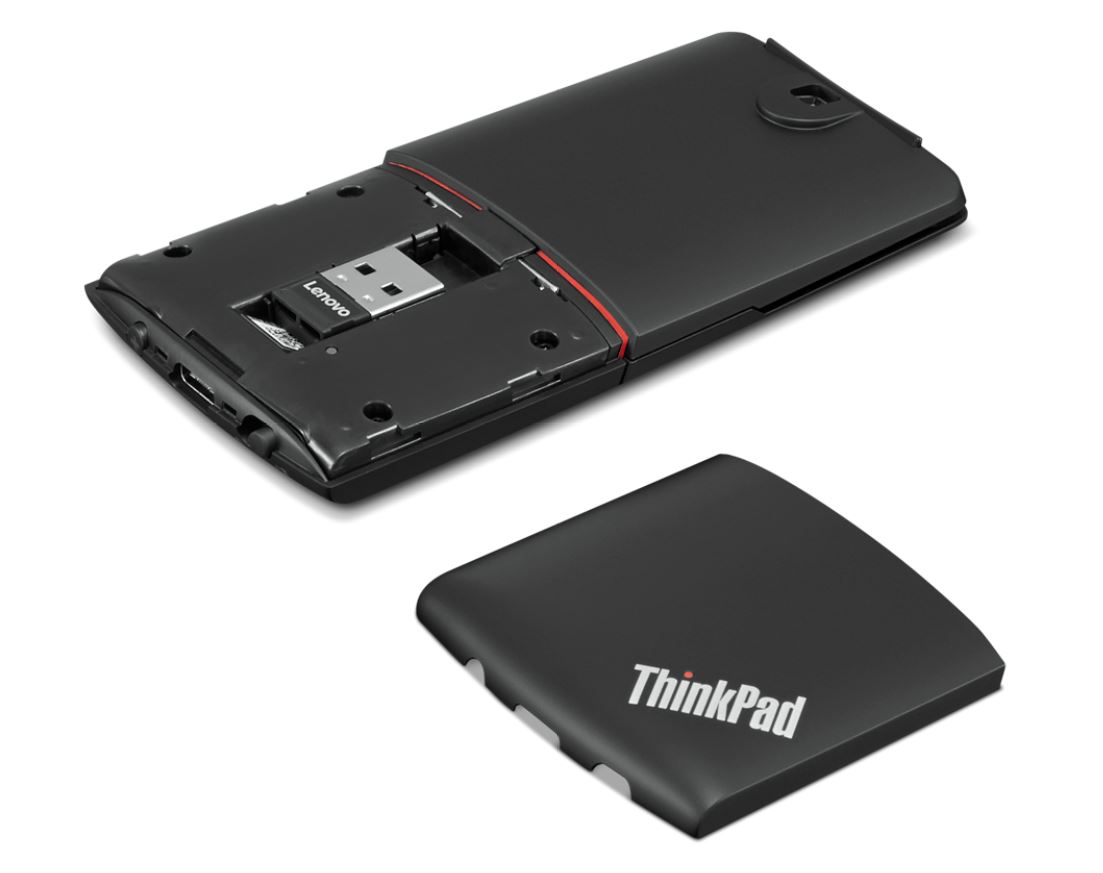
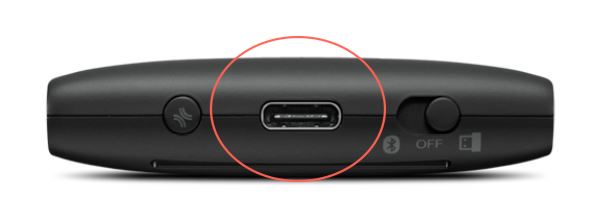
To charge this device, plug in the supplied cable to the charging point pictured above. Two hours of charging will provide 2 months of use.
ThinkPad TrackPoint II Keyboard
The ThinkPad TrackPoint II Keyboard translates the ThinkPad notebook’s iconic typing experience into a stand-alone device. True to form, it features the same dish-shaped ergonomic keycaps for comfort, as well as an integrated TrackPoint for easy navigation in tight spaces without a mouse. It’s versatile and reliable Bluetooth or Wireless Nano USB Dongle allows up to 2 devices to connect, and supports both Android and Windows. Even the visually impaired can enjoy the TrackPoint II, thanks to its 6-point entry support. You can connect this mouse to your computer using Bluetooth or the 2.4G USB receiver as well.
Features & Benefits
-
Features dish-shaped ergonomic keys for comfort
-
Versatile and reliable Bluetooth or Wireless Nano USB Dongle allows up to 2 devices to connect
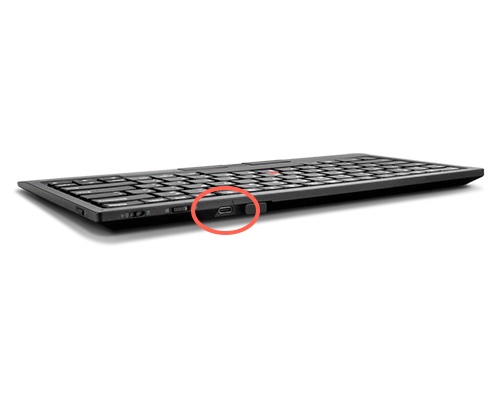
To charge this device, plug in the supplied cable to the charging point pictured above. 15 minutes of charging will provide 1 week of use.